Debugging techniques for developers
A systematic approach to debugging: how to reproduce, isolate, and fix issues faster using logs, breakpoints, and structured reasoning.
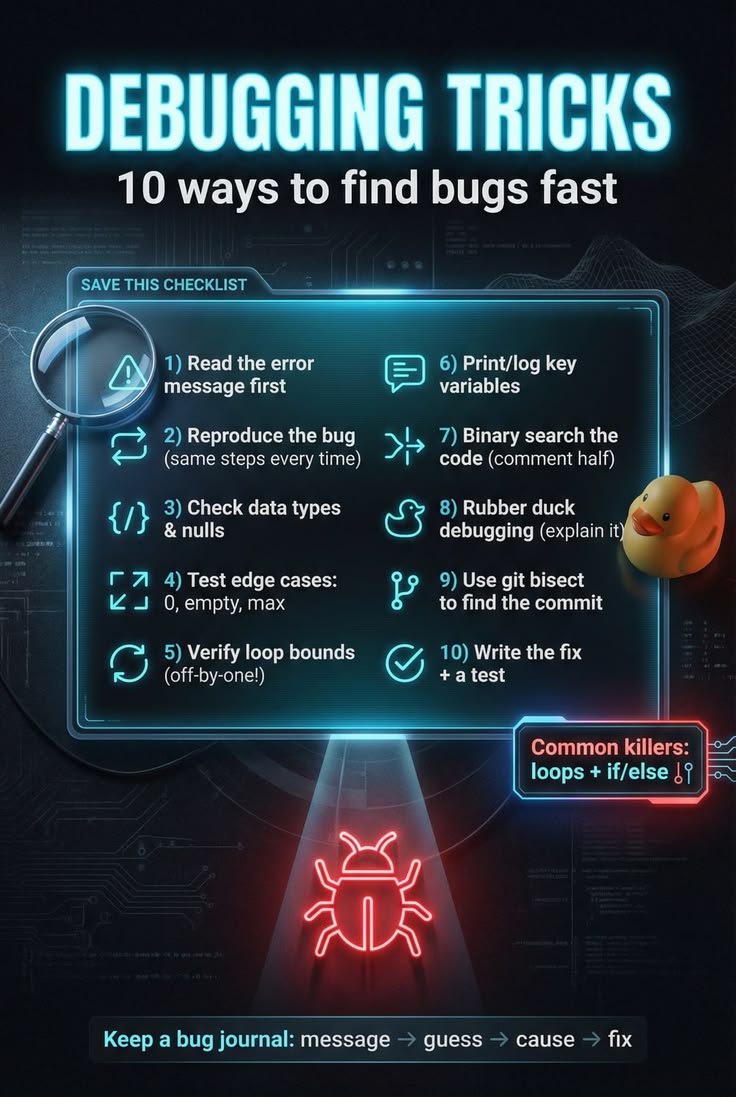
Debugging is the single skill that separates developers who move fast from those who move in circles. It is not about luck or staring harder at the screen — it is a repeatable process for forming a hypothesis, gathering evidence, and narrowing down the cause until the fix is obvious. In this article I share the techniques I rely on to debug efficiently, whether the bug is in the browser, the backend, or somewhere in between.
Start with a system, not a guess
Random changes ("try this, try that") almost always waste time. A disciplined debug loop looks like this:
1. Reproduce the bug reliably. 2. Locate the layer where the behavior diverges from expectations. 3. Form a hypothesis about the cause. 4. Test the hypothesis with evidence (logs, breakpoints, or a small experiment). 5. Fix and verify the reproduction is gone — then check for regressions.
1. Reproduce before you fix
If you cannot reproduce a bug, you cannot confirm it is fixed. Spend real effort here:
- Capture the exact inputs, environment, and steps.
- Reduce it to the smallest possible case (the "minimal repro").
- If it is intermittent, add temporary instrumentation to catch it in the act.
A bug you can reproduce is a bug you can kill.
2. Read the error, not just the stack trace
Stack traces tell you *where* the code was when it failed, not *why*. Train yourself to:
- Read the actual error message first — it often names the root cause.
- Walk the stack from the top frame down to your code.
- Distinguish **your bug** from a symptom caused by a dependency or bad input.
ts
// Weak: logs the whole error and hopes
console.log(error);

// Better: log the signal you actually need
console.error("[checkout] failed to read total", {
  cartId,
  cause: error?.cause,
  message: error?.message,
});
3. Log with intent
Logging is not "print everything." Good logs answer a question. Add context (ids, values, branch taken) and remove noise once the bug is found.
- Use levels: `debug` for tracing, `info` for milestones, `error` for failures.
- Log *decisions*, not just data: "chose cache miss because etag expired".
- Never log secrets, tokens, or full request bodies in production.
4. Breakpoints and step-through debugging
When logs are too coarse, use a real debugger:
- Set breakpoints at the boundary where state looks wrong.
- Step into the function and watch variables change.
- Use conditional breakpoints ("pause only when `userId === 42`") to skip noise.
This is the fastest way to see *how* a value became what it is.
5. Binary search your code
If a function returns the wrong result, call its sub-functions with fixed inputs and check each. Halve the search space each time:
- Is the input already wrong? Then the bug is upstream.
- Is the input right but the output wrong? The bug is in this function.
This "divide and conquer" approach turns a mystery into a ten-line region.
6. Rubber ducking
Explaining the code out loud — to a colleague or even a rubber duck — forces you to state your assumptions. The moment you say "and then the list is sorted here," you often realize it is *not* sorted. Most "unsolvable" bugs evaporate in the act of explaining.
7. Watch for the usual suspects
- **Async races**: two operations completing in the wrong order.
- **Stale closures**: a callback captured an old variable.
- **Off-by-one**: loops and array indexing.
- **Wrong environment**: `.env` values, API URLs, feature flags.
- **Caching**: serving yesterday's data and blaming the code.
Checklist
- [ ] Can I reproduce it in one step?
- [ ] Do I understand the expected vs actual behavior?
- [ ] Have I isolated the layer (UI, API, DB, network)?
- [ ] Is my evidence from logs/breakpoints, not a guess?
- [ ] Did I verify the fix and check for regressions?
Debugging well is mostly about staying calm and gathering evidence. The faster you make the bug *visible*, the faster it disappears.