HTTP methods
An overview of HTTP methods and their appropriate use cases in web development.
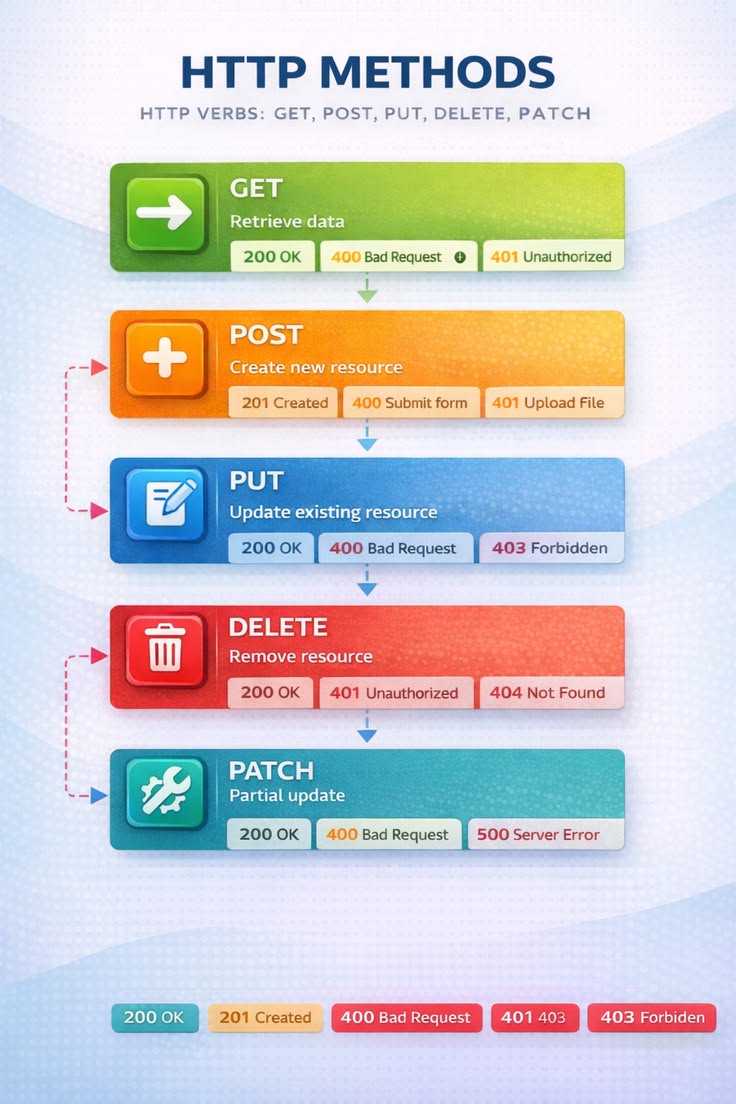
HTTP methods are the verbs used in HTTP requests to indicate the desired action to be performed on a resource. In this article, I provide an overview of the most commonly used HTTP methods and their appropriate use cases in web development. I cover GET, POST, PUT, DELETE, and other methods, explaining when and how to use each one effectively. Understanding these methods is crucial for building robust and standards-compliant web applications. I also discuss best practices for designing RESTful APIs and how to handle idempotency and caching with different HTTP methods. Whether you're new to web development or looking to refresh your knowledge, this article will help you understand the role of HTTP methods and how to use them correctly in your projects.
The HTTP specification defines a set of request methods (also called HTTP verbs). The most commonly used are:
- GET — Retrieve a resource (Safe: Yes, Idempotent: Yes)
- POST — Create a resource or submit data (Safe: No, Idempotent: No)
- PUT — Replace an entire resource (Safe: No, Idempotent: Yes)
- PATCH — Partially update a resource (Safe: No, Idempotent: Usually Yes)
- DELETE — Remove a resource (Safe: No, Idempotent: Yes)
- HEAD — Retrieve headers only (Safe: Yes, Idempotent: Yes)
- OPTIONS — Discover supported methods (Safe: Yes, Idempotent: Yes)
- TRACE — Echo the received request for debugging (Safe: Yes, Idempotent: Yes)
- CONNECT — Establish a tunnel (Safe: No, Idempotent: No)
Explanation of each
GET
Retrieves data without modifying it.
Example: GET /users/123
Response: { "id": 123, "name": "Alice" }
POST
Creates a new resource or submits data to be processed.
POST /users Content-Type: application/json
{ "name": "Alice" }
Possible response: 201 Created Location: /users/123
PUT
Replaces an existing resource completely.
PUT /users/123
{ "name": "Bob", "email": "bob@example.com" }
If omitted, fields may be removed depending on the API.
PATCH
Updates only specified fields.
PATCH /users/123
{ "email": "new@example.com" }
Only the email changes.
DELETE
Deletes a resource.
DELETE /users/123
Typical response: 204 No Content
HEAD
Works like GET but returns only headers.
HEAD /users/123
Useful for checking: - Resource existence - Content length - Last modification date - Cache validation
OPTIONS
Returns communication options for a resource.
OPTIONS /users
Typical response: Allow: GET, POST, PUT, DELETE
Browsers also use it for CORS preflight requests.
TRACE
Returns the received request for diagnostic purposes.
TRACE /users
Rarely enabled in production because it can introduce security risks.
CONNECT
Creates a tunnel to another server, primarily used by proxies.
Example: CONNECT example.com:443 HTTP/1.1
After the tunnel is established, encrypted HTTPS traffic passes through it.
Safe vs. Idempotent
Safe methods — These should not modify server state: - GET - HEAD - OPTIONS - TRACE
Idempotent methods — Calling them multiple times has the same effect as calling them once: - GET - PUT - DELETE - HEAD - OPTIONS - TRACE
POST is not idempotent because multiple identical requests can create multiple resources.
Methods commonly used in REST APIs
Most REST APIs use only these five: - GET — Read - POST — Create - PUT — Replace - PATCH — Partial update - DELETE — Delete
These map naturally to CRUD operations:
- Create — POST
- Read — GET
- Update (full) — PUT
- Update (partial) — PATCH
- Delete — DELETE
In practice, GET, POST, PUT, PATCH, and DELETE account for the vast majority of API interactions, while HEAD, OPTIONS, TRACE, and CONNECT are used for more specialized purposes.